

Cloud backup solutions for small business provide a secure, automated way to store and recover critical data online. They help companies protect against data loss, cyber threats, and unexpected disruptions while supporting compliance with UK data protection requirements.
What Are Cloud Backup Solutions for Small Business and Why Do They Matter?

Cloud backup solutions for small business are services that automatically copy and store data on remote servers. This ensures that important files, applications, and systems can be restored quickly if they are lost, damaged, or compromised.
For small businesses in the UK, data is often one of the most valuable assets. Losing customer records, financial data, or operational files can lead to downtime, reputational damage, and financial loss.
Cloud backup plays a key role in:
- Keeping business operations running smoothly
- Protecting against cyber threats such as ransomware
- Supporting compliance with GDPR and UK data protection laws
Without a reliable backup system, recovering lost data can be difficult or, in some cases, impossible.
How Do Cloud Backup Services Work for Small Businesses?
Cloud backup services follow a straightforward process designed to run in the background with minimal manual input. First, selected data from computers, servers, or applications is identified.
This data is then encrypted to ensure security before being transmitted over the internet to secure cloud servers. Once stored, the system continues to update backups automatically based on predefined settings.
Real-Time vs Scheduled Backups
Small businesses typically choose between:
- Real-time backups, where data is saved immediately after changes occur
- Scheduled backups, where data is backed up at specific intervals, such as daily or weekly
Real-time backups offer stronger protection, while scheduled backups can be more cost-effective.
Cloud Backup vs Local Backup
Cloud backup stores data off-site, making it accessible from anywhere with an internet connection. In contrast, local backup relies on physical devices such as external hard drives or on-site servers. Many businesses choose a hybrid approach, combining both methods to balance speed and security.
What Features Should Small Businesses Look for in Cloud Backup Solutions?

Selecting the right cloud backup solution involves more than just comparing prices. Businesses need to ensure the system meets their operational and security requirements.
- Security and Encryption: Data should be protected with strong encryption both during transfer and while stored. This reduces the risk of unauthorised access.
- Automation: Automated backups remove the need for manual processes, reducing the likelihood of human error.
- Scalability: As a business grows, its data storage needs increase. A scalable solution allows businesses to expand without changing providers.
- GDPR Compliance: UK businesses must ensure that their backup provider meets data protection regulations, including secure storage and controlled access.
- Ease of Use: A simple interface can make a significant difference, especially for teams without dedicated IT support.
Best 12 Cloud Backup Solutions for Small Business in the UK
1. Acronis Cyber Protect
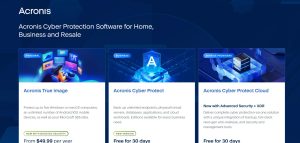
Acronis offers a comprehensive approach to cloud backup by combining data protection with AI-powered cybersecurity in a single platform. It is designed for businesses that want more than just backup, particularly those concerned about ransomware, malware, and operational disruption. One of its key strengths is flexibility.
Businesses can protect:
- Multiple Windows and macOS systems
- Unlimited mobile devices (Android and iOS)
- Microsoft 365 data, including emails and files
Acronis supports a wide range of environments, including physical servers, virtual machines, and cloud workloads. This makes it suitable for both small teams and growing organisations. Security is a major focus.
The platform includes:
- Anti-malware and antivirus protection
- Ransomware and cryptojacking defence
- Endpoint detection and response (EDR/XDR)
- Backup scanning for hidden threats
In addition to security, Acronis provides strong recovery capabilities such as:
- Granular file and system recovery
- Instant restore for virtual machines
- One-click mass recovery for multiple systems
The solution also supports hybrid deployment, allowing businesses to store backups locally, in the cloud, or both.
Pricing typically starts from around $49.99 per year, with business editions available on a scalable model. A 30-day free trial is offered, allowing businesses to test the system before committing.
This solution is particularly suitable for:
- Businesses handling sensitive data
- Companies needing integrated cybersecurity and backup
- Organisations planning for long-term scalability
2. Backblaze Business Backup
Backblaze is widely recognised for its simplicity and cost-effectiveness, making it a strong choice for small businesses that want reliable protection without complexity.
One of its standout features is unlimited cloud backup, meaning businesses do not need to worry about storage caps or additional charges as their data grows.
The platform operates with automatic and continuous backups, ensuring that all user data is protected without manual intervention. This is particularly useful for teams without dedicated IT staff.
Key features include:
- Unlimited data backup for a fixed annual price
- Lightweight software for Windows and Mac devices
- Centralised administration dashboard for managing multiple users
- Flexible restore options, including full system recovery
Backblaze also includes strong security measures such as:
- AES 256-bit encryption for data in transit and at rest
- Two-factor authentication (2FA)
- Optional private encryption keys for added control
Businesses can restore files in multiple ways, including:
- Downloading directly to any device
- Using a dedicated restore application
- Requesting physical delivery of data on a hard drive
Pricing is straightforward at approximately $99 per computer per year, with optional enterprise features available at an additional cost.
Backblaze is best suited for:
- Small businesses seeking predictable pricing
- Teams managing large volumes of data
- Organisations wanting a simple, low-maintenance backup solution
3. Carbonite Safe

Carbonite Safe focuses on ease of use and continuous protection, making it ideal for small businesses that prefer a straightforward backup solution.
The platform offers automatic and unlimited cloud backup, ensuring that files are continuously protected without requiring manual uploads. This reduces the risk of human error and ensures consistency.
Carbonite supports a wide range of file types, including:
- Documents such as Word, Excel, and PDFs
- Photos, videos, and media files
- Business-critical data stored locally
Security is handled through:
- 128-bit encryption during transfer and storage
- Secure cloud infrastructure
- Optional antivirus integration via Webroot
One notable feature is its ability to recover files after malware or ransomware attacks, allowing businesses to restore clean versions of infected files within a defined timeframe.
Carbonite offers three main plans:
- Basic covers one computer with essential backup features
- Plus includes external drive backup
- Prime adds courier recovery service for faster data restoration
Pricing starts from approximately $6.33 per month, making it an affordable option for small businesses.
Carbonite Safe is particularly suitable for:
- Non-technical users who need a simple setup
- Businesses looking for continuous, automatic backup
- Organisations prioritising ease of recovery
4. IDrive Business

IDrive Business is a feature-rich and cost-effective cloud backup solution designed for small to medium-sized businesses that need flexibility across multiple devices.
One of its main advantages is the ability to back up:
- Multiple computers under one account
- Mobile devices
- Servers and network drives
This makes it highly suitable for teams with distributed systems or remote employees.
IDrive offers a wide range of capabilities, including:
- Backup for Microsoft 365 and Google Workspace (as add-ons)
- File synchronisation and sharing
- Disk imaging and disaster recovery
Security and compliance are strong points, with:
- End-to-end encryption
- Immutable storage to protect against ransomware
- Compliance with standards such as GDPR and SOC 2
Another key benefit is its competitive pricing structure, with plans starting from around $6.99 per month, making it one of the more affordable options per terabyte.
Additional features include:
- No charges for data retrieval (egress)
- Support for cloud object storage compatible with Amazon S3
- Free cloud migration for businesses switching providers
IDrive is best suited for:
- Businesses with multiple devices and users
- Organisations looking for a balance of cost and features
- Startups needing scalable and flexible backup solutions
5. Microsoft OneDrive for Business
Microsoft OneDrive for Business is a cloud storage and backup solution integrated within the Microsoft 365 ecosystem, making it a natural choice for businesses already using Microsoft tools.
It allows teams to:
- Store, access, and share files securely
- Collaborate in real time using apps like Word, Excel, and Teams
- Sync files across multiple devices
Each user typically receives 1 TB of cloud storage, with the option to scale as needed.
A key advantage of OneDrive is its integration with Microsoft’s AI-powered tools, including Copilot, which helps users:
- Summarise documents
- Analyse data
- Improve productivity through automation
Security features include:
- Advanced access controls and permissions
- Data encryption
- Built-in protection against malware and spam
Administrators also benefit from:
- Detailed reporting and monitoring tools
- Policy enforcement and compliance controls
- Integration with SharePoint and Microsoft Teams
Pricing starts at approximately $6 per user per month as part of Microsoft 365 Business plans.
While OneDrive is highly effective for file storage and collaboration, businesses should be aware that it is not a full backup solution on its own. Many organisations pair it with dedicated backup tools for complete data protection.
OneDrive is best suited for:
- Businesses already using Microsoft 365
- Teams focused on collaboration and file sharing
- Organisations needing integrated productivity and storage tools
6. Google Workspace Backup Solutions

Google Workspace is widely used by small businesses, but it does not provide full backup protection by default. This is why many organisations rely on third-party Google Workspace backup solutions to ensure complete data security.
These tools are designed to protect:
- Gmail emails
- Google Drive and Shared Drives
- Calendar and Contacts
Unlike basic retention tools, dedicated backup solutions provide automated, cloud-to-cloud backups with the ability to restore data from specific points in time.
Popular third-party solutions include:
- Backupify
- Spanning Backup
- Afi.ai
- SysCloud
- CloudAlly
These platforms typically offer:
- Daily automated backups
- Granular recovery (restore individual files or full accounts)
- Protection against accidental deletion and ransomware
Some businesses also choose self-hosted options such as Synology Active Backup or CubeBackup, which can reduce long-term costs but require more technical management.
It is important to note that native tools like Google Vault are designed for archiving and compliance rather than full backup recovery.
Google Workspace backup solutions are best suited for:
- Businesses heavily reliant on Google apps
- Remote or cloud-first teams
- Organisations needing detailed recovery control
7. Dropbox Business

Dropbox Business is a versatile platform that combines cloud storage, collaboration, and file recovery tools in one integrated workspace. It is particularly popular among small businesses that prioritise teamwork and seamless file sharing.
The platform allows teams to:
- Store and organise files in a central location
- Share large files without relying on email attachments
- Collaborate in real time on documents and creative projects
Dropbox supports a wide range of business activities beyond simple storage.
Users can:
- Edit PDFs directly within the platform
- Send and sign documents electronically
- Track file activity and user engagement
One of its key strengths is flexibility across plans.
For teams, Dropbox offers:
- Standard plan with 5 TB shared storage and team management features
- Advanced plan starting at 15 TB with extended file recovery (up to 1 year) and enhanced security controls
Security features include:
- Password-protected file sharing
- End-to-end encryption (on higher-tier plans)
- Admin controls for managing users, roles, and permissions
- Single sign-on (SSO) for secure access
Dropbox also supports file recovery and version history, allowing businesses to restore deleted or modified files within a defined period (up to 365 days depending on the plan).
While Dropbox is highly effective for collaboration and file management, it is often used alongside dedicated backup tools for full disaster recovery coverage.
Dropbox Business is best suited for:
- Teams that rely heavily on collaboration and file sharing
- Creative agencies and remote teams
- Businesses needing an all-in-one productivity and storage platform
8. Zoolz BigMIND Business
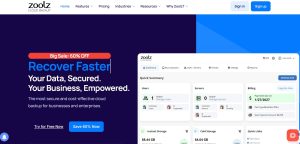
Zoolz BigMIND Business is designed to deliver secure, scalable, and cost-effective cloud backup, particularly for businesses managing large and growing datasets.
A key advantage of Zoolz is its flexible storage model, which combines:
- Hot storage for frequently accessed files
- Cold storage for long-term archival data at a lower cost
This hybrid approach allows businesses to balance performance and affordability. The platform focuses on simplicity and efficiency.
Businesses can:
- Set up backups quickly without complex configuration
- Use incremental backups that only store changed data
- Access and restore files instantly from any device
Zoolz is built on AWS infrastructure, ensuring strong encryption and high reliability.
Security features include:
- End-to-end encryption
- Protection against unauthorised access
- Secure data transfer and storage
Advanced features include:
- Smart file organisation and deduplication
- Centralised user and policy management
- Hybrid+ backup (combining local and cloud storage)
- Remote access for distributed teams
Pricing is competitive, with plans such as:
- Entry-level options for startups (around $79.99/year)
- Scalable plans for growing businesses with larger storage needs
Zoolz BigMIND Business is best suited for:
- Businesses with large or long-term data storage needs
- Organisations looking for cost-efficient backup solutions
- Teams needing flexible storage tiers for performance and savings
9. SpiderOak One Backup

SpiderOak One Backup is a privacy-first cloud backup solution designed for businesses that require maximum data confidentiality and control.
Its standout feature is zero-knowledge, end-to-end encryption, which ensures that:
- Data is encrypted before leaving the user’s device
- Only the user can access or decrypt the data
- Even the provider cannot view files or metadata
This makes SpiderOak particularly valuable for organisations handling sensitive or regulated information.
The platform offers:
- Continuous and scheduled backups
- File synchronisation across multiple devices
- Secure file sharing with controlled access
A key strength is its point-in-time recovery, which allows businesses to:
- Restore files to a specific moment before data loss
- Recover from ransomware attacks or accidental deletions
SpiderOak also supports:
- Unlimited devices under a single account
- Cross-platform compatibility (Windows, macOS, Linux)
- Historical version tracking for all files
Pricing starts from around $6 per month, scaling based on storage capacity.
SpiderOak One Backup is best suited for:
- Businesses with strict privacy requirements
- Legal, financial, or healthcare organisations
- Users prioritising security over convenience
10. pCloud Business
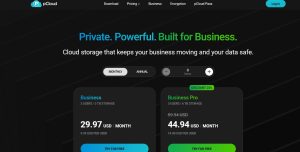
pCloud Business is a secure and flexible cloud storage and backup solution built with strong European data protection standards. It is designed to help businesses manage data efficiently while maintaining full control over access and security.
Key features include:
- 1 TB to 2 TB storage per user depending on the plan
- Secure file sharing with custom branding
- File versioning with up to 180 days of history
- Unlimited file size uploads
pCloud places a strong emphasis on security through:
- Client-side encryption (optional add-on)
- GDPR-compliant infrastructure
- ISO-certified data centres within the EU
The platform also supports:
- Team management with role-based access
- Activity tracking and detailed logs
- Easy scaling as the business grows
One of its advantages is pricing flexibility, including monthly subscriptions and long-term plans that can reduce overall costs.
pCloud Business is best suited for:
- Businesses prioritising European data privacy standards
- Teams needing secure file sharing and collaboration
- Organisations looking for flexible and scalable storage
11. Wasabi Hot Cloud Storage

Wasabi Hot Cloud Storage is a high-performance solution focused on affordable, scalable cloud storage without complex pricing structures. Its biggest differentiator is cost transparency.
Unlike many providers, Wasabi:
- Does not charge for data retrieval (egress)
- Does not charge for API requests
- Offers pricing up to 80% lower than traditional cloud providers
Despite its affordability, Wasabi delivers strong performance, including:
- High-speed data access comparable to premium storage tiers
- 99.9% availability
- Extremely high durability (11 nines)
Security features include:
- Encryption in transit and at rest
- Multi-factor authentication (MFA)
- Immutable storage and virtual air-gapping for ransomware protection
Wasabi is fully compatible with Amazon S3 APIs, making it easy to integrate with existing backup tools such as Acronis or Veeam. Rather than being a standalone backup system, Wasabi acts as a storage layer, allowing businesses to build customised backup solutions.
Wasabi is best suited for:
- Businesses needing large-scale, low-cost storage
- Organisations using third-party backup software
- Companies seeking predictable and transparent pricing
12. CrashPlan for Small Business

CrashPlan for Small Business is a robust platform focused on continuous data protection, recovery, and long-term data resilience.
It is designed to protect:
- Endpoints such as employee devices
- Servers and infrastructure
- Cloud platforms like Microsoft 365 and Google Workspace
One of its core strengths is automatic and continuous backup, which ensures that:
- Every file version is saved
- Data changes are captured in real time
- Recovery is always up to date
CrashPlan also offers:
- Unlimited versioning for file history
- Point-in-time recovery for precise restoration
- Built-in archiving for long-term data retention
Security and compliance features include:
- Strong encryption
- Ransomware protection and recovery tools
- Flexible storage options (cloud, local, or hybrid)
The platform integrates with Microsoft Azure and supports compliance requirements, making it suitable for businesses handling regulated data. Another advantage is cost efficiency. Many organisations reduce storage costs by using CrashPlan’s archiving and flexible storage strategies.
CrashPlan for Small Business is best suited for:
- Businesses with critical and frequently changing data
- Organisations needing continuous backup and compliance support
- Companies looking for scalable, enterprise-grade protection
Comparison Table of Top Cloud Backup Solutions for Small Businesses
| Solution | Storage Type | Key Features | Security Level | Pricing Model | Best For |
| Acronis Cyber Protect | Cloud + Local (Hybrid) | Backup + AI cybersecurity, ransomware protection, full system recovery | Very High | Subscription (from ~$49.99/year) | Security-focused businesses |
| Backblaze Business Backup | Cloud | Unlimited backup, automatic sync, simple setup | High | Fixed price (~$99/device/year) | Budget-conscious SMEs with large data |
| Carbonite Safe | Cloud | Automatic backup, unlimited storage, easy recovery | High | Subscription (from ~$6/month) | Non-technical users |
| IDrive Business | Cloud + Hybrid | Multi-device backup, cloud apps support, affordable pricing | High | Tiered subscription | Growing teams and startups |
| Microsoft OneDrive for Business | Cloud | File storage, collaboration, Microsoft 365 integration | High | Per user/month (~$6+) | Microsoft-based businesses |
| Google Workspace Backup Solutions | Cloud-to-Cloud | Backup for Gmail, Drive, Calendar, granular restore | High | Subscription (varies by provider) | Google Workspace users |
| Dropbox Business | Cloud | File sharing, collaboration, file recovery, eSign tools | High | Per user/month (~$15+) | Collaborative teams |
| Zoolz BigMIND Business | Cloud (Hot + Cold) | AI file management, scalable storage, hybrid backup | High | Tiered plans (from ~$79/year) | Data-heavy businesses |
| SpiderOak One Backup | Cloud | Zero-knowledge encryption, privacy-first backup | Very High | Subscription (from ~$6/month) | Privacy-focused organisations |
| pCloud Business | Cloud | Secure sharing, EU data centres, file versioning | High | Subscription / lifetime options | GDPR-focused businesses |
| Wasabi Hot Cloud Storage | Cloud (Object Storage) | Low-cost storage, no egress fees, high performance | High | Usage-based (low cost) | Large-scale storage needs |
| CrashPlan for Small Business | Cloud + Hybrid | Continuous backup, unlimited versioning, compliance tools | Very High | Subscription | Data-intensive and compliance-driven businesses |
Cloud Backup vs Local Backup: Which Is Better for Small Businesses?

Choosing between cloud backup and local backup depends on how a business operates, its risk tolerance, and how quickly it needs to recover data.
Cloud backup is generally better suited to modern small businesses because it stores data off-site in secure data centres. This means files remain protected even if something happens to the physical workplace, such as fire, theft, or hardware failure. It also allows employees to access and restore data from anywhere, which is particularly useful for remote or hybrid teams.
Another advantage is automation. Most cloud backup solutions run in the background, ensuring that data is updated regularly without manual effort. This reduces the risk of missed backups.
Local backup, on the other hand, involves storing data on physical devices such as external hard drives or on-site servers. The main benefit is speed. Because the data is stored locally, recovery can be faster, especially for large files. It also does not rely on an internet connection, which can be important in areas with limited connectivity.
However, local backup carries higher risks if used alone. Physical devices can fail, be damaged, or be stolen, potentially leading to permanent data loss. For most small businesses, a hybrid approach offers the best balance.
By combining cloud and local backup, businesses can benefit from:
- Fast recovery from local storage
- Long-term protection and accessibility from cloud storage
This layered strategy improves both resilience and flexibility.
How Much Do Cloud Backup Solutions Cost in the UK?
The cost of cloud backup solutions for small business in the UK varies depending on the level of service, storage requirements, and additional features included.
At a basic level, many providers offer entry-level plans starting from around £5 per user per month. These plans typically include essential backup features with limited storage and fewer advanced options.
Mid-range plans, usually priced between £10 and £25 per user per month, often include:
- Increased storage capacity
- Enhanced security features
- Multi-device support
- Faster recovery options
For businesses with more complex needs, advanced solutions can exceed £25 per user per month.
These plans may include:
- Unlimited or large-scale storage
- Advanced cybersecurity protection
- Compliance and reporting tools
- Priority support and service-level agreements
Several factors influence the overall cost:
- Storage capacity: Larger data volumes require higher storage limits
- Number of users or devices: More users increase subscription costs
- Backup frequency: Real-time backups may cost more than scheduled ones
- Security features: Advanced protection, such as ransomware defence, can add to pricing
While free cloud backup options are available, they are generally limited in storage and functionality. For business use, they rarely provide sufficient protection or reliability.
Investing in a paid solution is often more cost-effective in the long term, especially when considering the potential financial impact of data loss.
Are Cloud Backup Solutions Safe for Small Business Data?

Cloud backup solutions are built with multiple layers of security to protect business data from both internal and external threats. Most reputable providers use encryption to secure data at every stage.
This includes encrypting data before it is transferred and keeping it encrypted while stored in the cloud. This significantly reduces the risk of unauthorised access.
In addition to encryption, cloud providers operate secure data centres with:
- Strict physical access controls
- Continuous monitoring and surveillance
- Redundant systems to prevent data loss
Regular system updates and security patches are also applied to protect against emerging cyber threats. Despite these measures, some businesses remain concerned about storing data in the cloud. These concerns often come from the assumption that off-site storage is less secure.
In practice, established cloud providers typically invest far more in security infrastructure than most small businesses can manage on their own. For UK businesses, compliance with GDPR is a key consideration.
This means ensuring that:
- Data is stored and processed securely
- Access is restricted to authorised users
- The provider follows recognised data protection standards
Choosing a provider that clearly outlines its compliance policies and security practices is essential for maintaining trust and legal compliance.
How to Choose the Right Cloud Backup Solution for Your Business?
Selecting the right cloud backup solution requires a clear understanding of both current needs and future growth plans.
The first step is to assess the type and volume of data the business generates. This includes identifying critical files, applications, and systems that must be protected.
Next, businesses should evaluate their security requirements. For example, companies handling sensitive customer data may need advanced encryption and compliance features, while others may prioritise ease of use.
Budget is another important factor. While it is tempting to choose the lowest-cost option, this can lead to limitations in storage, security, or scalability. A solution that meets long-term needs is often more cost-effective than switching providers later.
Testing usability is also essential. A system that is difficult to manage can lead to errors or underuse. Many providers offer free trials, allowing businesses to evaluate performance before committing.
When making a decision, it is important to avoid common mistakes such as:
- Focusing only on price rather than value
- Ignoring scalability as the business grows
- Overlooking recovery speed and reliability
A well-chosen cloud backup solution should not only protect data but also support the business as it evolves, ensuring continuity and confidence in day-to-day operations.
Conclusion: Choosing the Best Cloud Backup Solutions for Small Business
Cloud backup solutions for small business are no longer optional. They are a critical part of protecting data, maintaining compliance, and ensuring operational continuity.
By selecting a reliable provider and focusing on security, automation, and scalability, businesses can reduce risk and operate with greater confidence.
FAQs About Cloud Backup Solutions for Small Business
How often should a small business back up its data?
Most small businesses benefit from daily or real-time backups, depending on how frequently their data changes.
Can cloud backup help recover deleted files?
Yes, most solutions include file versioning, allowing businesses to restore previous versions of files.
Is cloud backup suitable for very small businesses?
Yes, many providers offer scalable plans that are suitable even for micro-businesses.
What happens if the internet goes down during backup?
Most systems pause and resume automatically once the connection is restored.
Are cloud backups automatic or manual?
They can be both, but automated backups are recommended for consistency and reliability.
Can multiple devices be backed up under one account?
Many providers allow multiple devices, making them suitable for teams.
How long is backup data stored?
Retention periods vary by provider, but many allow businesses to customise how long data is kept.

Startup mentor & Blogger | Sharing leadership tips for UK business owners