
10 Best Payroll Software Options For UK Small Businesses In 2026


UK Startup Blog Archive
Table of Contents
Running payroll becomes more demanding as soon as a business starts employing people. Wages are only one part of the process.
Employers also need to calculate PAYE and National Insurance, deal with statutory payments, manage workplace pension deductions, produce payslips and report payroll information to HMRC.
The right payroll software can automate much of this work while giving a small business clearer records and fewer opportunities for manual errors.
There is no single platform that will suit every employer. A five-person startup may value simplicity and low costs, while a growing company with shift workers may need time tracking, HR integration and more detailed reporting.
This guide compares 10 payroll options available to UK small businesses in 2026 and looks at their strengths, limitations and suitability for different types of employer.
Why Does The Right Payroll System Matter For A Small Business?
Payroll software is valuable because it turns several recurring administrative jobs into one structured process.
Instead of manually calculating employee deductions, preparing individual payslips and entering the same figures into different systems, a suitable payroll platform can complete or automate much of the work.
Modern payroll software can typically help with:
- PAYE Calculations
- National Insurance Calculations
- RTI Submissions
- Payslip Generation
- Statutory Payments
- Student Loan Deductions
- Workplace Pension Contributions
- Employee Records
- Payroll Reports
- Starter And Leaver Information
HMRC requires employers running payroll themselves to use suitable software to report PAYE information online unless an exemption applies.
Employers should therefore look beyond convenience and make sure their chosen product supports the payroll functions their business actually needs.
Small employers wanting to understand the underlying process can also look at how to do payroll yourself in the UK before deciding which parts should be automated.
What Should Small Businesses Look For In Payroll Software?
Price matters, but choosing the cheapest option can become expensive if the software lacks a feature the business later needs.
The strongest payroll system should fit the way employees are actually paid.
Important factors include:
- HMRC Recognition: Check whether the software can make the required PAYE and RTI submissions.
- Employee Capacity: Make sure pricing and functionality remain practical as headcount increases.
- Pay Frequencies: Check support for monthly, weekly and other required pay schedules.
- Workplace Pensions: Look for automatic assessment and pension contribution functionality where required.
- Statutory Pay: Confirm support for sick pay, maternity pay, paternity pay and other relevant statutory payments.
- Employee Self-Service: Online access to payslips and documents can reduce routine payroll queries.
- Accounting Integration: Connected bookkeeping can reduce repeated data entry and simplify reconciliation.
- Support: Consider how much assistance will be available when a pay run goes wrong.
- Data Security: Payroll contains sensitive employee and financial information, making secure access and appropriate controls essential.
- Scalability: Software suitable for three employees may not remain suitable when the business reaches 30.
Businesses wanting payroll and bookkeeping to work together may also benefit from comparing the available free accounting software for small businesses before committing to a wider software ecosystem.
What Are The Best Payroll Software Options For Small Businesses?
The following options cover different business sizes, budgets and levels of payroll complexity.
1. Sage Payroll
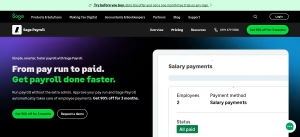
Sage Payroll is a strong all-round option for small UK businesses that want payroll software capable of growing alongside them.
Its cloud payroll product supports businesses with up to 150 employees and combines payroll processing with HR-related features. Sage also provides Sage 50 Payroll for organisations with more advanced requirements.
For startups already using Sage accounting products, keeping payroll within the same ecosystem can reduce duplicated administration.
Key Features:
- HMRC-Recognised Payroll
- RTI Submissions
- Automated PAYE And National Insurance
- Workplace Pension Assessment
- Statutory Pay Processing
- Employee Payslips And P60s
- Payroll Reporting
- Accounting Integration
- Employee Self-Service
What Makes It Useful: Sage combines straightforward payroll processing with enough functionality to support businesses as their workforce expands. Employees can access documents online while payroll information can connect with other Sage tools.
Best For: Small and growing businesses wanting an established payroll platform with broader accounting integration.
Potential Drawback: Very small employers with straightforward payroll may not need the wider functionality available within the Sage ecosystem.
Verdict: Sage is one of the strongest choices for businesses that want to start relatively simple without having to replace their payroll platform quickly as they grow.
2. Xero Payroll

Xero Payroll is particularly attractive to businesses already managing their bookkeeping through Xero.
Payroll sits within Xero’s wider accounting environment, allowing salary costs and payroll information to flow into the company’s financial records rather than being transferred manually between separate systems.
Current UK plans include different payroll allowances depending on the subscription, with additional employees charged separately where applicable.
Key Features:
- HMRC Payroll Functionality
- Automated PAYE And National Insurance
- Employee Payslips
- Leave Management
- Workplace Pension Support
- Payroll Reports
- Accounting Integration
- Cloud Access
What Makes It Useful: Its biggest advantage is the connection between payroll and bookkeeping. A business that already uses Xero can reduce duplicate data entry and keep payroll costs reflected within its accounts.
Best For: Businesses already using Xero or those wanting closely connected accounting and payroll.
Potential Drawback: Payroll value depends partly on the wider Xero subscription. A business that only needs payroll may find a standalone package more appropriate.
Verdict: Xero is particularly compelling when payroll is part of a broader cloud accounting setup rather than a completely separate business process.
3. QuickBooks Payroll

QuickBooks strengthened its UK payroll offering in 2026 with Payroll Core, Premium and Elite options designed for businesses with different levels of complexity.
Payroll Core focuses on straightforward payroll requirements, while the broader range provides a route towards additional workforce and payroll management functionality.
Key Features:
- HMRC-Recognised Payroll
- Automatic Payroll Calculations
- RTI Submissions
- Workplace Pension Support
- Statutory Payments
- Multiple Pay Schedules
- Payroll And Accounting Integration
- Cloud-Based Access
What Makes It Useful: QuickBooks can bring accounting and payroll information into the same environment. The different payroll levels also mean a business can start with relatively straightforward requirements and move towards more sophisticated workforce management.
Best For: Small businesses already using QuickBooks and growing employers wanting connected payroll and accounting.
Potential Drawback: Businesses should carefully compare which features are included in Core, Premium and Elite rather than assuming every payroll feature is available at the entry level.
Verdict: QuickBooks has become a more competitive UK payroll option in 2026, particularly for existing QuickBooks customers that want their financial and employee data connected.
4. BrightPay
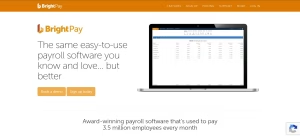
BrightPay is a familiar name in UK payroll, but there is an important change for businesses considering it in 2026.
From the 2026/27 tax year, BrightPay is exclusively cloud-based. Its Windows desktop product stopped receiving current-year support and legislative updates after 5 April 2026.
That shift makes current BrightPay considerably different from the desktop product some employers may have used previously.
Key Features:
- Cloud-Based Payroll
- HMRC Payroll Support
- Automatic Payroll Calculations
- Workplace Pension Features
- Multiple User Access
- Payroll Reporting
- Batch Processing
- Accounting Integrations
- Employee Payroll Management
What Makes It Useful: BrightPay has strong payroll-focused functionality rather than treating payroll as a minor accounting add-on.
Its cloud version also allows multiple authorised users to work with payroll data and integrates with accounting platforms including Xero, Sage and QuickBooks.
Best For: Businesses, accountants and payroll teams wanting a dedicated payroll system.
Potential Drawback: Existing users specifically wanting traditional desktop payroll software need to adapt to BrightPay’s cloud-only model.
Verdict: BrightPay remains a serious payroll-focused option, but anyone comparing it in 2026 should base their decision on the current cloud product rather than reviews of its discontinued desktop software.
5. FreeAgent
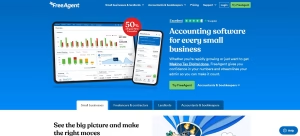
FreeAgent combines accounting and payroll within the same platform, making it particularly useful for owner-managed limited companies and smaller businesses that already use FreeAgent for everyday bookkeeping.
Its payroll functionality allows businesses to calculate PAYE and National Insurance, create employee payroll profiles and submit RTI information directly to HMRC.
Payroll is included within FreeAgent rather than being sold as a separate standalone payroll subscription.
Key Features:
- Integrated Accounting And Payroll
- PAYE And National Insurance Calculations
- RTI Filing
- Payslips And P60s
- Employee Payroll Profiles
- Pension Contribution Records
- Starter And Leaver Information
- Payroll Reporting
What Makes It Useful: Payroll transactions sit alongside accounting records, reducing the need to maintain separate systems. This can be particularly helpful for small limited companies where the director or accountant handles both bookkeeping and payroll.
Best For: Small limited companies, owner-managed businesses and existing FreeAgent users.
Potential Drawback: FreeAgent payroll is designed around relatively straightforward monthly payroll. Certain FreeAgent account types also do not have access to its payroll functionality.
Verdict: FreeAgent can offer excellent value when a small business already wants the platform for accounting and has relatively simple monthly payroll needs.
6. Moorepay
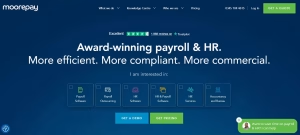
Moorepay combines payroll technology with HR functionality and payroll support, making it more suitable for businesses that want assistance as well as software.
Its cloud system provides automated payroll calculations, reporting, audit trails and tools for handling larger or more variable payroll datasets. Moorepay also provides employee self-service through its mobile application.
Key Features:
- Cloud Payroll
- Automated Payroll Calculations
- HMRC Reporting
- Payroll Audit Trails
- Employee Self-Service
- Payroll Reporting
- HR Integration
- Bulk Processing
- Managed Payroll Options
What Makes It Useful: Businesses can combine payroll software with additional support or outsourcing rather than having to move to an entirely different provider if payroll becomes too time-consuming internally.
Best For: Growing SMEs that want payroll, HR and additional professional support.
Potential Drawback: Pricing is generally quote-based rather than as immediately transparent as some self-service small-business packages.
Verdict: Moorepay becomes particularly attractive when a business wants more than a basic payroll calculator and values HR integration, support and the possibility of outsourcing more of the process.
7. ADP Payroll
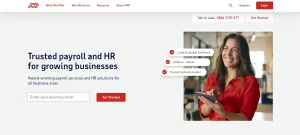
ADP provides payroll technology alongside managed payroll services, giving small businesses a choice between retaining control internally and handing over more payroll administration.
Its UK small-business service supports PAYE and RTI requirements and provides employee self-service functionality. Businesses can move from self-service software towards more supported or fully managed payroll as their requirements change.
Key Features:
- HMRC-Recognised Payroll
- PAYE And RTI Support
- Employee Self-Service
- Payroll Reporting
- Payroll Automation
- HR Integration
- Managed Payroll Options
- Payroll Specialist Support
What Makes It Useful: ADP is designed to support businesses at different stages. A company may initially want software but later require payroll expertise without building a larger internal finance or HR team.
Best For: Growing businesses expecting payroll requirements to become more complex.
Potential Drawback: ADP may be more extensive than a micro business with only a handful of employees needs, and pricing generally requires a quote.
Verdict: ADP is worth considering when scalability, payroll expertise and service options are more important than simply finding the lowest-cost basic package.
8. KashFlow Payroll And Staffology
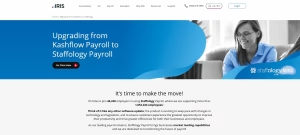
KashFlow has traditionally been known for cloud accounting and payroll, but businesses comparing it in 2026 should pay attention to how its payroll offering is now presented.
KashFlow’s payroll page currently introduces Staffology Payroll as its next-generation payroll solution, with features aimed at automating payroll, connecting existing systems and producing detailed payroll reports.
Key Features:
- Cloud Payroll
- PAYE Processing
- Payroll Automation
- Payroll Reporting
- Workplace Pension Support
- P60 And Payroll Documents
- Accounting Connections
- CIS And More Complex Payroll Support
What Makes It Useful: The Staffology direction offers more extensive payroll functionality and integration options than a very basic small-business payroll package.
Best For: Businesses looking for flexible payroll processing or those already familiar with the KashFlow ecosystem.
Potential Drawback: Businesses specifically searching for the traditional KashFlow Payroll product should confirm which current product they are actually buying and how migration or integration will work.
Verdict: It remains relevant, but 2026 buyers should evaluate the current Staffology-backed payroll proposition rather than relying on older KashFlow payroll reviews.
9. Clear Books Payroll
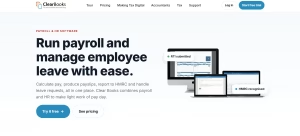
Clear Books provides a straightforward UK payroll and HR package aimed at businesses that want transparent per-employee pricing.
It automatically calculates PAYE and National Insurance, produces payroll documents and submits RTI information to HMRC. Workplace pension functionality and leave management are also included.
Key Features:
- HMRC-Recognised Payroll
- Automatic PAYE And National Insurance
- RTI Submissions
- Payslips
- P45s And P60s
- Auto-Enrolment Support
- Employee Leave Management
- Payroll And HR Features
What Makes It Useful: Pricing is easy to understand. As of October 2026, Clear Books lists payroll at £2.70 per employee per month plus VAT, with a minimum equivalent to two employees. Promotional pricing may temporarily reduce the initial cost.
Best For: Micro and small businesses wanting relatively simple pricing that changes with employee numbers.
Potential Drawback: Larger businesses requiring advanced workforce analytics or extensive multinational capabilities will likely need something more sophisticated.
Verdict: Clear Books is a practical choice for small employers wanting the essentials of UK payroll without moving immediately into a larger enterprise-style payroll system.
10. HMRC Basic PAYE Tools
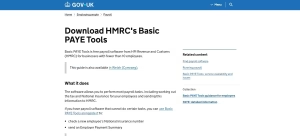
HMRC Basic PAYE Tools is different from the commercial products on this list because it is provided free by HMRC.
It is designed for employers with fewer than 10 employees and can calculate tax and National Insurance, produce payslips and send payroll information to HMRC.
Key Features:
- Free Payroll Software
- PAYE Calculations
- National Insurance Calculations
- FPS Submissions
- EPS Submissions
- Employee Records
- Payslip Generation
- Starter And Leaver Information
What Makes It Useful: There is no software subscription cost, making it appealing to very small employers with straightforward requirements.
Best For: Businesses with fewer than 10 employees that need basic PAYE functionality without broader payroll or HR automation.
Potential Drawback: Basic PAYE Tools does not manage automatic enrolment assessments, calculate pension contributions or send pension information to a pension provider.
Verdict: It is a useful free option for genuinely small and uncomplicated payrolls, but businesses should not mistake free PAYE software for a complete HR, pension and payroll management platform.
How Do The Best Payroll Software Options Compare?
| Payroll Software | Best For | HMRC/RTI Support | Key Strength | Pricing Approach |
| Sage Payroll | Growing Small Businesses | Yes | Scalable Payroll And Accounting Ecosystem | Paid Plans |
| Xero Payroll | Xero Accounting Users | Yes | Payroll And Accounting Integration | Plan And Employee Based |
| QuickBooks Payroll | Small And Growing Businesses | Yes | Connected Payroll And Accounting | Tiered Plans |
| BrightPay | Payroll-Focused Businesses | Yes | Dedicated Cloud Payroll Tools | Paid |
| FreeAgent | Small Limited Companies | Yes | Payroll Included With Accounting | Included With Eligible Plans |
| Moorepay | Growing SMEs | Yes | Payroll, HR And Support | Quote Based |
| ADP Payroll | Businesses Needing Scalability | Yes | Software And Managed Options | Quote Based |
| KashFlow / Staffology | More Flexible Payroll Needs | Yes | Automation And Reporting | Paid |
| Clear Books Payroll | Micro And Small Businesses | Yes | Transparent Employee Pricing | Per Employee |
| HMRC Basic PAYE Tools | Employers With Fewer Than 10 Staff | Yes | Free Basic Payroll | Free |
The table should be treated as a starting point rather than a final buying decision. HMRC recognition confirms that appropriate software can report PAYE information, but HMRC does not recommend one commercial product over another.
How Much Does Small Business Payroll Software Cost?
Payroll software can range from free to a substantial monthly cost depending on employee numbers, features and the level of support required.
Small businesses generally encounter four pricing models:
- Free Software: Basic PAYE Tools and several HMRC-recognised products are available without a software subscription for eligible small employers.
- Per-Employee Pricing: The monthly charge increases as employees are added.
- Tiered Subscriptions: Different plans include different employee limits or functionality.
- Quote-Based Pricing: More comprehensive payroll and managed services often provide individual quotes.
Do not compare headline subscription prices alone.
A £10 monthly package that requires several hours of manual work may ultimately be more expensive than a £30 package that integrates directly with accounting, pensions and employee records.
Also check for additional charges covering extra employees, pension modules, HR functions, support, implementation, payments or integrations.
Payroll should also fit into the business’s wider financial setup. Maintaining a dedicated business current account and connected accounting records can make payroll reconciliation and outgoing payments much easier to monitor.
Is Free Payroll Software Worth Using?
Free payroll software can be perfectly suitable for a very small business.
HMRC’s current recognised software list includes several free products for employers with fewer than 10 employees, including Basic PAYE Tools.
Free software makes most sense when the business has:
- Fewer Than 10 Employees
- Simple Salaries
- One Straightforward Payroll
- Limited Payroll Adjustments
- Basic Reporting Requirements
- Someone Internally Who Understands Payroll Responsibilities
The problem begins when “free” software creates additional manual work elsewhere.
For example, an employer may still need to calculate pension contributions separately, transfer figures into accounting software, manage leave somewhere else and manually maintain employee records.
A growing business should therefore assess the total administration involved rather than the subscription price alone.
How Does Payroll Software Help With HMRC Compliance?
Software does not transfer legal responsibility away from the employer, but it can make complying with payroll obligations considerably easier.
A suitable system should calculate the correct PAYE and National Insurance based on payroll information, produce required records and allow Real Time Information to be submitted.
The Full Payment Submission is normally sent to HMRC on or before the employee’s payday.
Companies hiring for the first time should make payroll part of the broader employer setup process. The wider steps involved in starting a business in the UK include registering appropriately, maintaining financial records and understanding employer responsibilities before staff are paid.
HMRC also warns businesses changing payroll software to handle employee Payroll IDs correctly. Incorrect handling can cause duplicated payroll records or an inaccurate PAYE bill.
This is one reason switching functionality and migration support should be considered before choosing software, not only when the business eventually decides to leave it.
What Payroll Changes Should Businesses Know About In 2026?
Payroll software needs to reflect the rules applying to the current tax year rather than relying on calculations from previous years.
For the 2026/27 tax year, the standard Personal Allowance remains £12,570. The main employee Class 1 National Insurance rate is 8% between the primary threshold and upper earnings limit, followed by 2% above the upper earnings limit. The general employer Class 1 rate is 15% above the applicable secondary threshold.
The National Living Wage for workers aged 21 and over increased to £12.71 per hour from 1 April 2026. The rate for workers aged 18 to 20 is £10.85, while eligible younger workers and apprentices have an £8.00 rate.
Businesses employing hourly staff should therefore ensure employee rates have been updated. A fuller breakdown is available in the UK National Living Wage 2026 rates.
Statutory Sick Pay also changed significantly from 6 April 2026. Eligible employees can receive SSP from the first full day of sickness regardless of earnings. The rate is the lower of 80% of average weekly earnings or £123.25 per week.
For workplace pensions, the 2026/27 automatic-enrolment earnings trigger remains £10,000, with the qualifying earnings band running from £6,240 to £50,270.
These changes make automatic software updates particularly valuable. Payroll software should not force a small employer to manually rebuild tax, NI and statutory payment calculations whenever the rules change.
Payroll Software Vs Outsourced Payroll: Which Is Better?
Payroll software is usually the better option when the business wants to keep control internally and has someone capable of reviewing each pay run.
Outsourcing becomes more attractive as complexity increases.
Software may be enough when the business has a small workforce, predictable salaries and straightforward pension arrangements.
Outsourcing may make more sense when the company has:
- Multiple Pay Frequencies
- Large Numbers Of Starters And Leavers
- Shift Or Hourly Workers
- Complex Statutory Payments
- Several Pension Arrangements
- Limited Internal Payroll Knowledge
- Rapidly Growing Employee Numbers
- Frequent Payroll Corrections
Cost also needs to be measured against management time. Saving £50 per month on payroll administration provides little value if a founder spends several hours correcting calculations or responding to employee payroll questions.
Businesses considering that route can compare the wider advantages of payroll services for startups before deciding whether software alone provides enough support.
A hybrid approach is also possible. Providers such as ADP and Moorepay offer technology alongside additional payroll support or managed services, allowing businesses to retain some control without processing every payroll task internally.
How To Choose The Right Payroll Software?
Start with the business’s actual payroll rather than the software brand.
A two-person limited company does not need the same system as a 70-person hospitality business with weekly shifts, overtime, starters and frequent payroll adjustments.
Before choosing, ask:
- How Many Employees Will Be Paid?
- How Quickly Is Headcount Expected To Grow?
- Is Payroll Weekly, Monthly Or Mixed?
- Are Employees Salaried Or Hourly?
- Are Overtime And Bonuses Common?
- Does The Business Need Automatic-Enrolment Support?
- Are Statutory Payments Likely To Be Frequent?
- Which Accounting System Is Already Used?
- Do Employees Need Self-Service Access?
- Will Payroll Be Run Internally Or With An Accountant?
- How Important Is Telephone Support?
- Can Payroll Data Be Exported Easily?
- What Will The Software Cost At Double The Current Headcount?
A business preparing to employ staff should also budget beyond salary and payroll software.
Workplace pensions, employer National Insurance and other employment costs can materially increase the cost of hiring. Employers should also understand when employers’ liability insurance is required and what it can cost.
The best payroll software is therefore not necessarily the platform with the longest feature list. It is the one that covers today’s payroll without creating an expensive migration problem tomorrow.
Final Verdict
There is no universal winner for every UK small business.
Sage Payroll is a strong all-round choice for growing businesses that want established payroll functionality and room to scale.
Xero Payroll is particularly attractive to businesses already using Xero for accounting.
QuickBooks Payroll has become more competitive following its refreshed UK payroll range in 2026 and makes sense for businesses wanting payroll and accounting in the same environment.
BrightPay remains a strong dedicated payroll option, although businesses should remember that the current product is now cloud-based.
FreeAgent can provide excellent value for smaller limited companies with relatively straightforward monthly payroll.
Clear Books offers transparent employee-based pricing, while HMRC Basic PAYE Tools remains a useful free choice for employers with fewer than 10 staff and basic requirements.
Moorepay and ADP become more attractive when payroll complexity increases and the company wants stronger HR, support or managed-service options.
The final decision should come down to employee numbers, pay frequency, accounting integration, pension requirements, support and how complicated payroll is likely to become over the next few years.
Frequently Asked Questions
What Is The Easiest Payroll Software For Small Businesses?
There is no single easiest product for every business. FreeAgent can be convenient for existing FreeAgent users, while Sage, Xero, QuickBooks, BrightPay and Clear Books all offer relatively streamlined approaches for different types of small employer.
What Is The Cheapest Payroll Software For Small Businesses?
HMRC Basic PAYE Tools is free for employers with fewer than 10 employees. Several other free HMRC-recognised products are also available, although businesses should compare feature limitations before choosing solely on cost.
Does Payroll Software Need To Be HMRC Recognised?
Employers running payroll themselves need software capable of reporting PAYE information online unless an exemption applies. HMRC publishes a list of recognised free and paid-for payroll products that can make these submissions.
Can A Small Business Run Payroll Itself?
Yes. A small business can operate payroll internally rather than employing an accountant or payroll bureau. The employer remains responsible for accurate deductions, records, submissions and payments even when software performs most calculations.
Is HMRC Basic PAYE Tools Free?
Yes. Basic PAYE Tools is free and is designed for businesses with fewer than 10 employees. It can calculate tax and National Insurance, create payslips and send payroll information to HMRC, although it does not manage workplace pension auto-enrolment.
Can You Switch Payroll Software During The Tax Year?
Yes. Businesses can change payroll software during a tax year, but employee year-to-date figures and Payroll IDs must be transferred correctly. HMRC warns that mishandling Payroll IDs can create duplicate records and incorrect PAYE calculations.
Can Payroll Software Handle Workplace Pensions?
Many commercial payroll packages can assess employees, calculate pension deductions and exchange information with pension providers.
However, not every product includes these capabilities. HMRC Basic PAYE Tools, for example, does not perform automatic-enrolment assessment or calculate pension contributions.

Startup mentor & Blogger | Sharing leadership tips for UK business owners
Related Articles in Startup
View All →
Newscivil Com: Can This Digital News Platform Help UK Startups Spot Emerging Trends?
For startup founders, staying informed is no longer simply about reading the business pages each morning. Artificial intelligence, changing consumer habits, technology developments, government decisions and wider social…

Meet the Startup Turning Screen Time Into a New Way to Make Money
Britain does not exactly have a shortage of side hustles. You can deliver takeaways, sell clothes online, start freelancing, walk dogs, tutor in the evenings or attempt to…

8 Best Coworking Spaces for Bootstrapped London Startups to Launch and Scale in 2026
Bootstrapped founders don’t have the luxury of a fitted-out HQ from day one. What you need is a London coworking space that flexes with you: a hot desk…